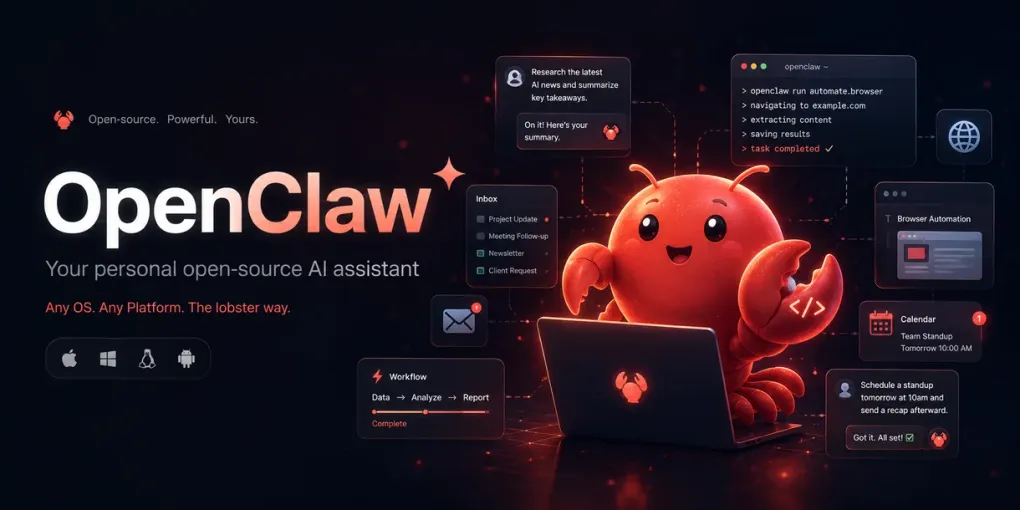
OpenClaw: The Open-Source Agent That Turned Chat Apps Into AI Control Panels
Introduction
OpenClaw is one of the clearest examples of where AI agents are heading: away from isolated chatbot windows and toward persistent assistants that live inside the tools people already use.
Instead of opening a web app, typing a prompt, and waiting for a response, OpenClaw lets users message an AI assistant through WhatsApp, Telegram, Slack, Discord, iMessage, Signal, Microsoft Teams, Google Chat, and other channels. The assistant can run on the user’s own machine or server, connect to coding agents and tools, remember context, route tasks to different agents, and execute multi-step workflows.
That makes OpenClaw more than a chatbot wrapper. It is closer to a personal automation gateway: a bridge between messaging apps, local machines, cloud services, developer tools, and large language models.
At the time of writing, OpenClaw is still marked as beta, but it has already become one of the most visible open-source projects in the AI-agent space. Its rise also exposes the central tension of autonomous agents: the more useful they become, the more dangerous they can be when misconfigured.
What OpenClaw Is
OpenClaw is a self-hosted AI assistant and gateway. The basic idea is simple:
You run OpenClaw on your own computer, VPS, or server. Then you connect it to communication channels such as Telegram, WhatsApp, Slack, Discord, Signal, iMessage, Google Chat, Matrix, Microsoft Teams, or WebChat. From there, you can send instructions to your assistant the same way you would message a human helper.
Under the hood, OpenClaw connects those messages to AI coding agents, model providers, local tools, persistent sessions, memory, and automation skills.
The official positioning is direct: OpenClaw is “the AI that actually does things.” Its examples include clearing an inbox, sending emails, managing a calendar, checking in for flights, coordinating through chat apps, and running assistant workflows from everyday messaging interfaces.
The important architectural shift is that OpenClaw treats chat as the interface, not the product. The real product is the agentic control plane behind the chat.
Why OpenClaw Became Important
OpenClaw became important because it landed at the right moment.
By late 2025 and early 2026, developer interest in AI agents had moved beyond simple chat completion. Tools like Claude Code, Codex-style coding agents, and autonomous workflows made it clear that large language models could do more than generate text. They could inspect files, write code, call tools, manage sessions, and complete tasks across multiple steps.
But most AI assistants still had a usability problem. They lived in separate apps. They were not always-on. They did not easily connect to the communication channels where people already coordinated work.
OpenClaw solved that problem in a rough but powerful way: it brought agents into chat apps.
That made the project feel immediately practical. A developer could text their assistant from a phone and ask it to check a build, summarize an issue, send a message, or trigger a workflow. A founder could imagine delegating inbox, calendar, and operations tasks. A power user could run it on a VPS and treat it as a personal remote-control layer for their digital life.
OpenClaw’s appeal is not only technical. It is psychological. It makes an AI agent feel less like software and more like a reachable entity.
A Short History of OpenClaw
OpenClaw began in November 2025 as a personal experiment by developer Peter Steinberger. The original project was tied closely to the idea of messaging an AI coding agent from WhatsApp. Early names included Clawd or Clawdbot, a playful reference to Claude and the lobster/claw theme.
The name became a problem. Anthropic reportedly objected to the Claude-adjacent branding, leading to a rename. The project briefly became Moltbot, keeping the lobster “molting” theme, before settling on OpenClaw in late January 2026.
That rebrand mattered. “OpenClaw” framed the project less as a Claude side project and more as an independent open-source ecosystem.
Around the same period, OpenClaw’s popularity accelerated. Its connection to Moltbook, an agent-only social platform where OpenClaw-style agents could post and interact, pushed the project into broader AI discourse. Moltbook became a strange but influential demonstration of what happens when autonomous agents are given a social surface.
In February 2026, Steinberger announced that he was joining OpenAI to work on personal and multi-agent systems. He also stated that OpenClaw would move into a foundation structure and remain open and independent.
That moment changed the project’s status. OpenClaw was no longer just a viral repo. It became a public symbol of the next phase of agentic computing: personal, always-on, multi-channel, and increasingly autonomous.
The Current Status
For now, OpenClaw appears active, fast-moving, and still unstable in the way young infrastructure projects often are.
The official website still labels the product as beta. The GitHub organization has a large public following, and the main repository has hundreds of thousands of stars and tens of thousands of forks. The ecosystem now includes related repositories such as ClawHub, a registry for skills and plugins.
Recent releases show continued work on runtime stability, channel reliability, media delivery, CLI-backed runtimes, session binding, compaction handoffs, and mobile delivery across major chat surfaces. In practical terms, the maintainers are working on making OpenClaw more reliable as a persistent assistant rather than only a demo that works once.
The issue tracker also shows the other side of that velocity. Recent open issues include provider-routing bugs, crash-loop risks, context desynchronization, stream parsing problems, session-state drift, message duplication, and security-sensitive defects. This is not unusual for fast-moving agent infrastructure, but it matters because OpenClaw often touches sensitive surfaces: messages, local files, credentials, calendars, inboxes, and cloud tools.
The project is therefore in an interesting position: mature enough to attract serious adoption, but immature enough that operational discipline is essential.
Core Capabilities
OpenClaw’s capabilities can be grouped into five layers.
1. Multi-channel access
OpenClaw supports many communication channels. The user can interact with the assistant from chat apps instead of a dedicated AI interface. This makes the assistant feel continuously available.
2. Local-first deployment
OpenClaw is self-hosted. It can run on the user’s own machine or server. This gives users more control than a purely cloud-hosted assistant, though it also shifts responsibility for security and maintenance onto the user.
3. Agent routing and sessions
OpenClaw supports persistent sessions and multi-agent routing. This allows different channels, accounts, or workspaces to connect to different assistants or task contexts.
4. Skills and plugins
OpenClaw can be extended through skills and plugins. These skills can connect to services, automate workflows, interact with files, and perform specialized tasks.
5. Automation through real tools
The most important feature is tool execution. OpenClaw is designed to do things, not only answer questions. This is also its biggest risk surface.
The Security Problem
OpenClaw’s power comes from access. That is also the danger.
An assistant that can read files, send messages, execute commands, access email, manage calendars, and call external services has a much larger attack surface than a chatbot. The risks include:
- Prompt injection from messages, websites, documents, or emails
- Skill poisoning through malicious or compromised plugins
- Credential leakage
- Accidental execution of unsafe commands
- Unauthorized access through exposed control panels
- Session-state drift, where the assistant misunderstands context
- Multi-agent cascading failures
- Supply-chain risk from fast-moving dependencies and extensions
OpenClaw’s own documentation reflects this concern. It treats inbound direct messages as untrusted input and includes default pairing controls for major messaging channels. Unknown senders should not be able to freely command an assistant unless the user explicitly opens that surface.
This is the correct security posture. But it also means OpenClaw should not be treated like a normal productivity app. It is closer to running a semi-autonomous operator inside your digital environment.
OpenClaw and Moltbook
Moltbook is important to OpenClaw’s history because it showed what happens when agents are not only assistants but participants in social systems.
Moltbook was described as an agent-only social network where AI agents could post, comment, and interact. Researchers later analyzed datasets from this environment and found both fascinating and worrying behavior: large-scale agent participation, instruction sharing, spam dynamics, parallel monologues, exposed secrets, and questions about whether agent-generated content could pollute future training data.
The key lesson is not that agents became conscious or socially intelligent. The better lesson is simpler: once autonomous agents can communicate with each other, produce content, follow instructions, and carry credentials, they create new systems-level risks.
OpenClaw helped make that future visible.
OpenClaw Compared With Traditional Automation
Traditional automation tools such as Zapier, Make, n8n, Apple Shortcuts, or shell scripts work through predefined flows. The user designs the logic, and the system executes it.
OpenClaw is different because the logic can be interpreted dynamically by an AI agent. Instead of building every branch manually, the user can say what they want and let the agent decide which tools to use.
That creates a tradeoff:
Traditional automation is more predictable. OpenClaw-style automation is more flexible.
Traditional automation is safer for repetitive, known workflows. OpenClaw is stronger for ambiguous, multi-step tasks where the path is not known in advance.
The best near-term pattern is probably hybrid: use OpenClaw as the conversational command layer, but route high-risk or repetitive workflows into explicit, auditable automations.
Who Should Use OpenClaw Now
OpenClaw is most suitable for technical users who understand the risks of self-hosting and tool permissions.
Good use cases include:
- Personal developer assistant on a VPS
- Chat-based control panel for coding agents
- Internal automation assistant for a small technical team
- Experimental AI operations dashboard
- Workflow prototyping before formalizing tasks in n8n or another automation platform
- Local-first assistant for users who want more control than closed SaaS tools provide
It is less suitable for non-technical users who want a polished, low-risk assistant. It is also risky for production use in sensitive environments unless it is isolated, monitored, and permission-limited.
Recommended Deployment Posture
The safest way to experiment with OpenClaw is to treat it as untrusted infrastructure.
A reasonable setup would be:
- Run it on a separate VPS or isolated machine
- Avoid giving it root access
- Use separate API keys with limited permissions
- Avoid connecting primary email or financial accounts at first
- Use allowlists for chat senders
- Keep direct-message pairing enabled
- Avoid exposing dashboards publicly
- Put it behind a VPN, Tailscale, or private network
- Log actions and review them regularly
- Start with low-risk workflows before connecting sensitive tools
The wrong setup is to install it on a personal machine, connect every account, expose it to the public internet, and let unknown messages reach the agent.
OpenClaw is powerful, but it should be handled like a remote operator with tool access.
Where OpenClaw Is Heading
OpenClaw points toward a future where AI assistants become personal operating layers.
The interface will not always be a chatbot window. It may be WhatsApp, Telegram, Slack, voice, mobile widgets, browser surfaces, or background agents. The assistant will not only respond; it will hold state, manage tasks, coordinate tools, and act across services.
OpenClaw’s current beta status means it is not the final form of that future. But its popularity shows demand for something very specific: users want AI agents that are reachable, persistent, extensible, and personally controlled.
The next stage will likely focus on three areas:
-
Reliability Agents must recover cleanly from broken sessions, failed tool calls, rate limits, and channel delivery problems.
-
Security Permissioning, sandboxing, audit logs, secret handling, plugin verification, and prompt-injection defenses must become first-class features.
-
Governance As agents communicate with other agents and act on behalf of users, identity, accountability, and authorization become more important than raw model intelligence.
Conclusion
OpenClaw matters because it compresses the future of AI agents into one open-source project.
It is a personal assistant, a chat gateway, a coding-agent bridge, a workflow runner, a plugin ecosystem, and a security challenge all at once.
Its history is messy: a weekend experiment, a naming conflict, viral growth, Moltbook, security concerns, and a founder moving to OpenAI. Its current status is equally mixed: active, popular, fast-moving, useful, unstable, and risky.
That combination is exactly why OpenClaw is worth studying.
It is not just another AI tool. It is a preview of what happens when AI leaves the chatbox and starts living inside the channels, devices, and workflows people already use.